Offision の機能

導入前に プラットフォームの選び方

Hardware choice

Check whether panels, displays and sensors are optional, mixable and replaceable, or whether the software only works with one vendor's device.

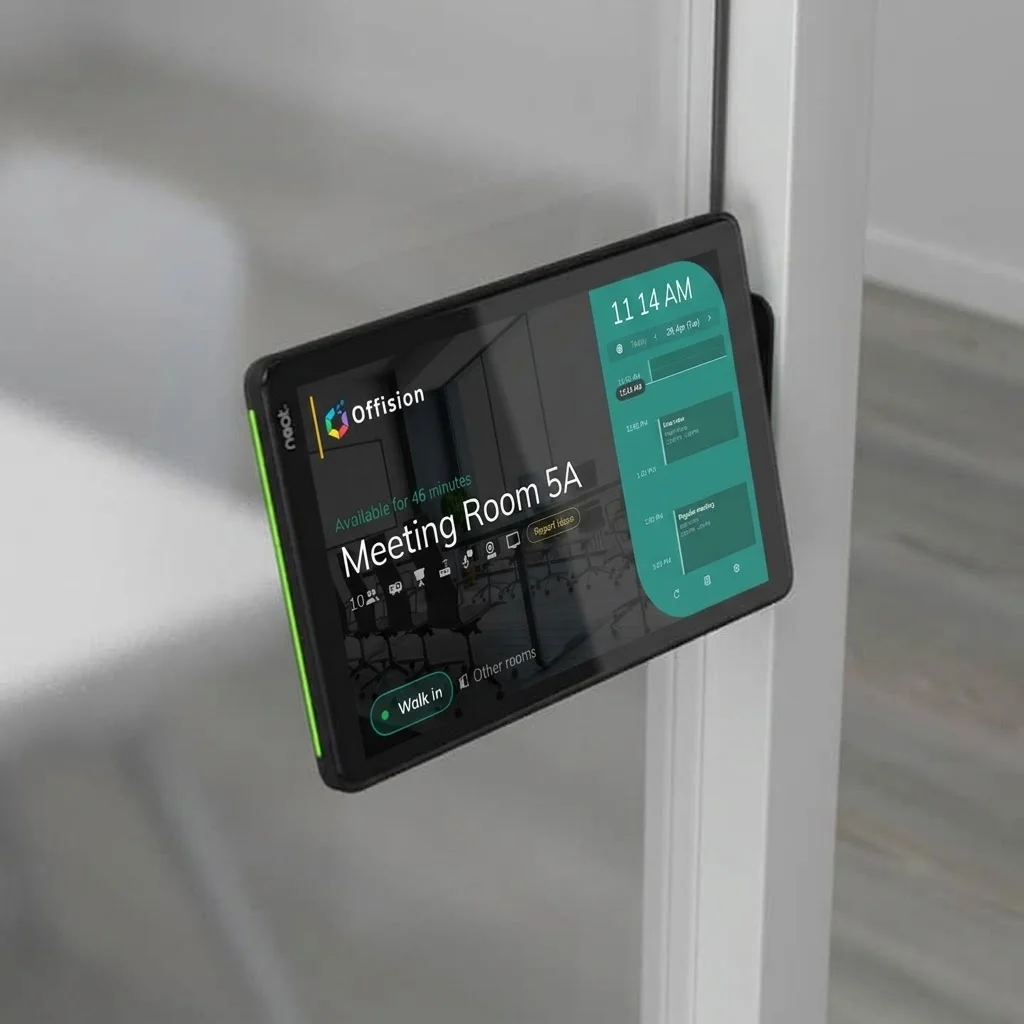
白いドア枠に取り付けられた Neat の会議室パネル。Meeting Room 5A が空室と表示され、緑の状態ランプと Walk in ボタンがある
Offision の機能

Panel configurations

Devices supports Crestron, Qbic, Neat, iPad and more with shared configurations — evaluators should confirm hardware is optional and mixable, not a single-vendor lock-in.

ヘルプセンターで読む: Panel configurations

よくある質問

Offision supports Crestron, Qbic, Neat and tablets under Devices — hardware stays your choice.

白いドア枠に取り付けられた Neat の会議室パネル。Meeting Room 5A が空室と表示され、緑の状態ランプと Walk in ボタンがある
オフィスのフロアプラン図を背景に、笑顔のビジネスパーソンのポートレート
次のステップ

自社の会議室で確かめる

物件、予約ルール、カレンダー設定をチームと一緒に確認するか、無料で始めて 1 フロアで試してください。