Select another country/region to browse the content applicable to your location.
Smart Parking Management

The smart way to manage parking spaces

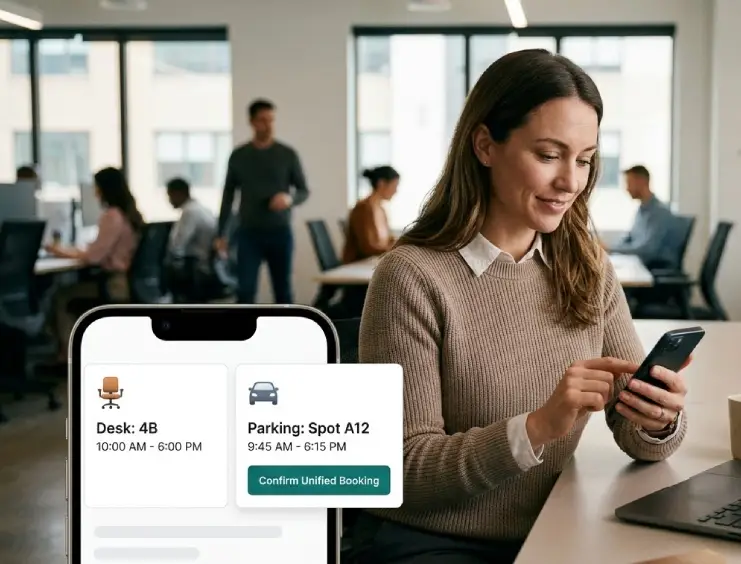
Book your parking spot alongside your desk or visitor appointment. See real-time availability on your interactive floor plan — no more circling the lot or guessing which spaces are free.

Parking Space Booking with Floor Plan

Parking B-12 Booked

with Desk D-05 • Today 9:00 AM
Live Floor Plan

Why smart parking booking?

Finding a parking spot shouldn't be a daily struggle. Offision makes it effortless by integrating parking directly into your workspace booking flow.

Book with desk & visitor

Reserve your parking spot at the same time as your desk or when scheduling a visitor — one unified booking flow for your entire office day.

Live status on floor plan

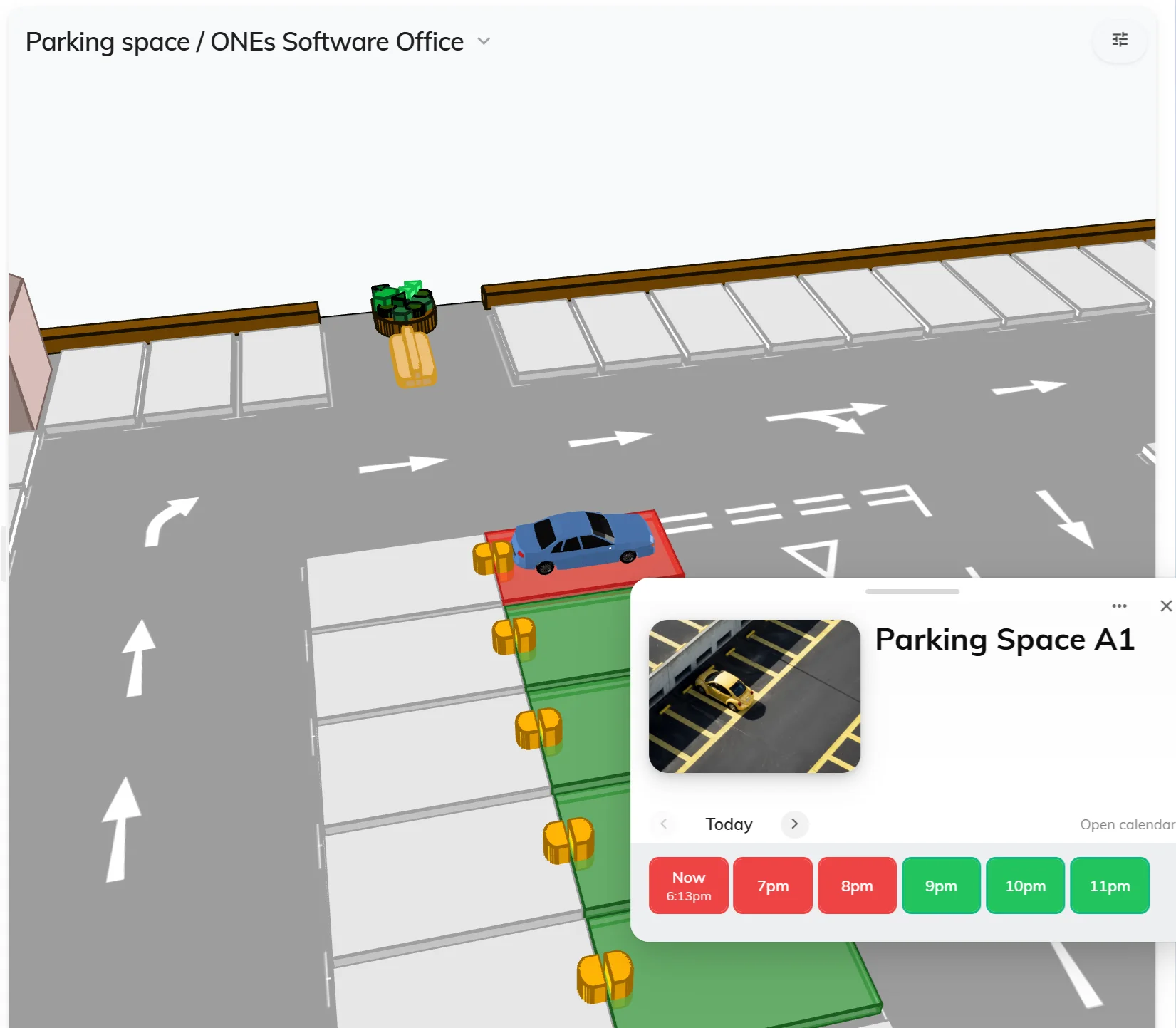
See every parking spot's real-time availability directly on the interactive floor plan — instantly know where open spaces are at any time.

Effortless management

Assign reserved spots, set policies, and track utilisation — all from one simple dashboard. Optimise your parking resources with real data.

Unified Booking

Book parking with your desk or visitor

Stop juggling separate systems. When you book a desk for the day or schedule a visitor, add a parking spot in the same flow. Everything is linked together so your office day is planned in one go.

Desk Booking + Parking

Reserve your desk and parking spot together. Arrive knowing exactly where to park and sit.

Visitor Management + Parking

Schedule a visitor and allocate a parking space automatically for a smooth arrival.

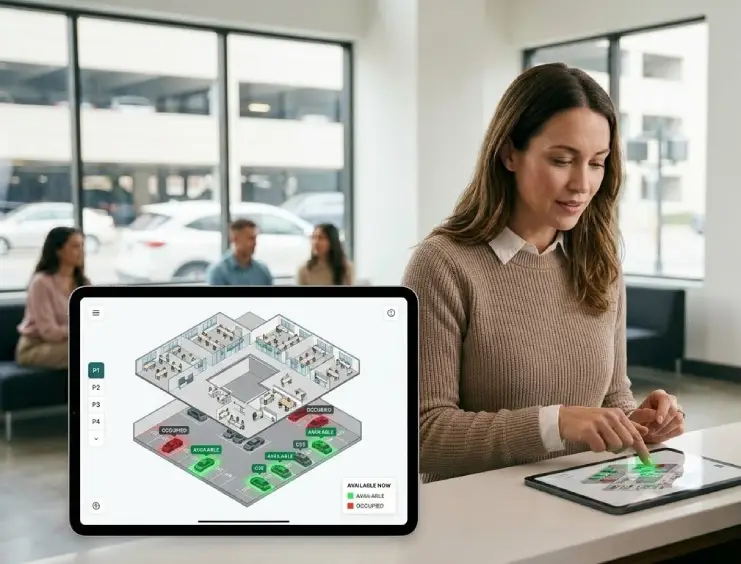
Live Parking Status on Floor Plan
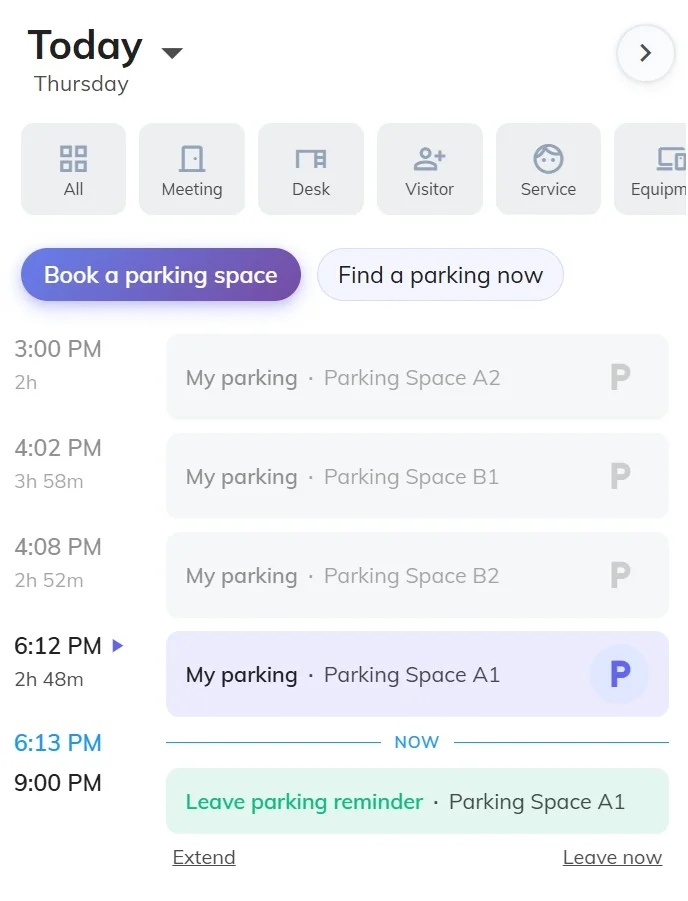
Parking Booking List
Real-Time Visibility

See live parking status on your floor plan

Your parking area is displayed on the same interactive floor plan as your office spaces. See which spots are available, occupied, or reserved — all updated in real time.

Instant availability

Colour-coded spots show what's free, booked, or reserved at a glance — no need to walk the car park.

Unified floor plan view

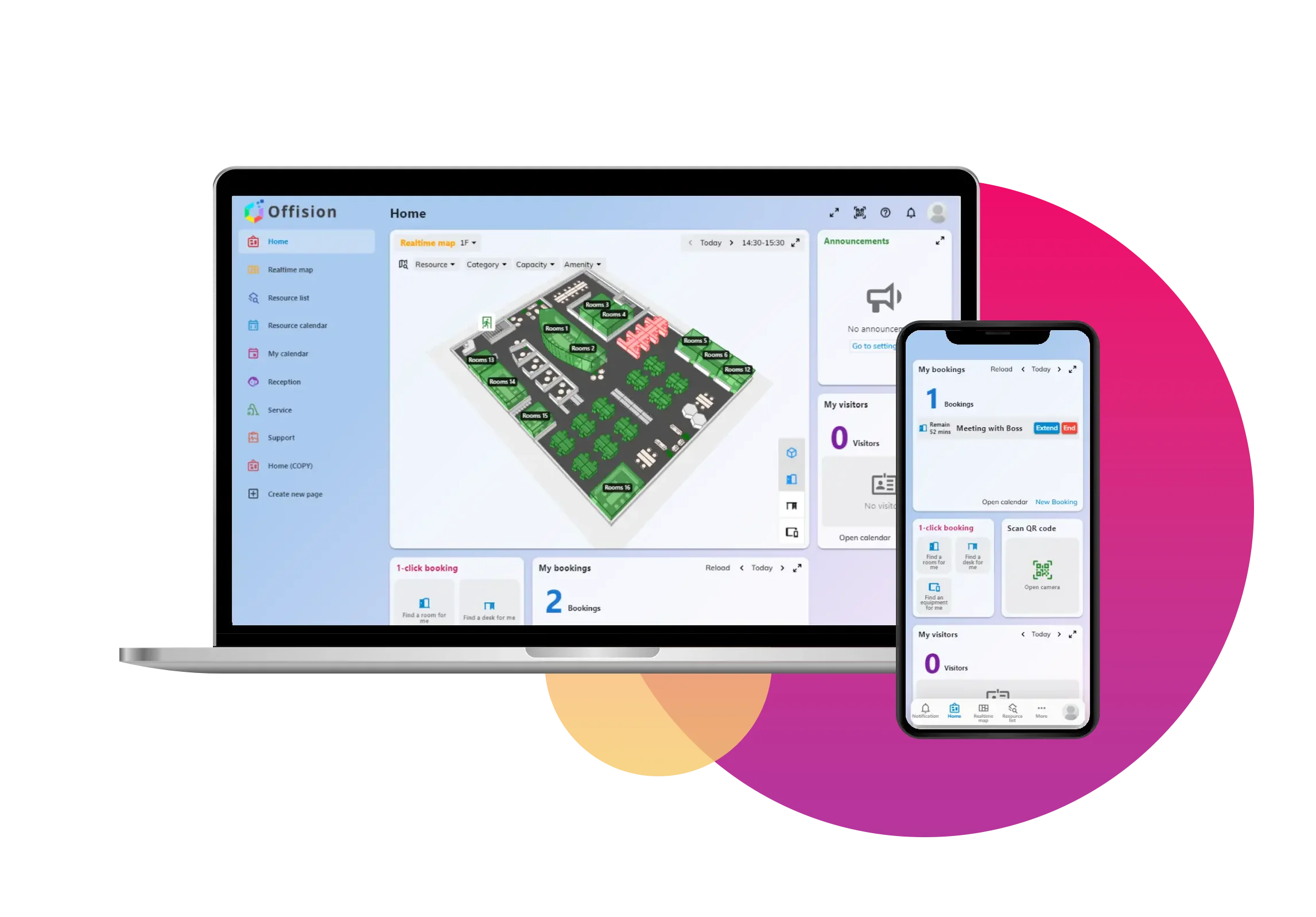
Parking spaces, desks, and meeting rooms all on one map. Navigate your entire workplace from a single interface.

Access on any device

Check the floor plan from your mobile, desktop, or a lobby kiosk before you even leave home.

How parking booking works

Booking a parking spot is as simple as booking a desk. Here's how it works in four easy steps.

1

Browse the floor plan

Open the interactive floor plan and view your parking area. See all available spots colour-coded in real time.

2

Select your spot

Tap on any available parking space to select it. Filter by location, type, or amenities like EV charging.

3

Book in one flow

Add the parking spot to your desk booking or visitor appointment. One confirmation covers everything.

4

Check in & go

On arrival, check in to confirm your spot. The floor plan updates live so others see accurate availability.

Feature Highlights

Everything you need for parking management

From individual spot booking to fleet-wide management, Offision has you covered.

Custom time slots

Book parking for a few hours, a full day, or recurring schedules that match your work pattern.

Assigned parking

Permanently assign spots to executives, visitors, or specific teams. Guaranteed availability when it matters.

Amenity filters

Filter spots by amenities — EV charging, covered, accessible, or proximity to building entrance.

Booking reminders

Receive notifications about upcoming bookings, check-in reminders, and spot releases.

Usage analytics

Track utilisation rates, peak hours, and trends to make data-driven decisions about your parking resources.

Policy controls

Set booking rules, max durations, and cancellation policies. Ensure fair access for all employees.

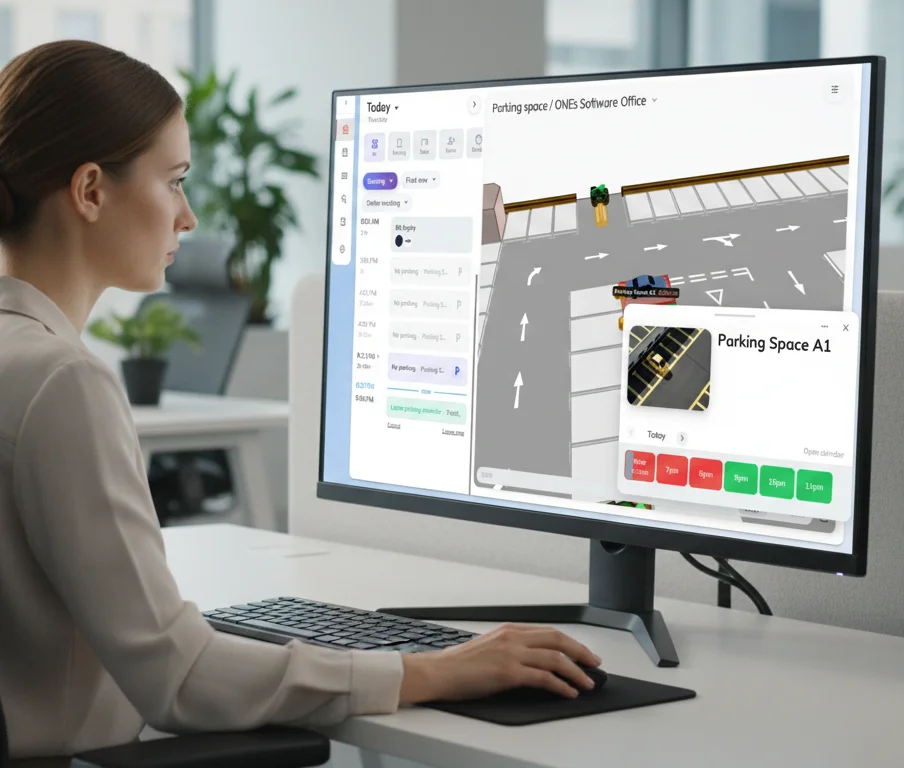
Parking Desktop View
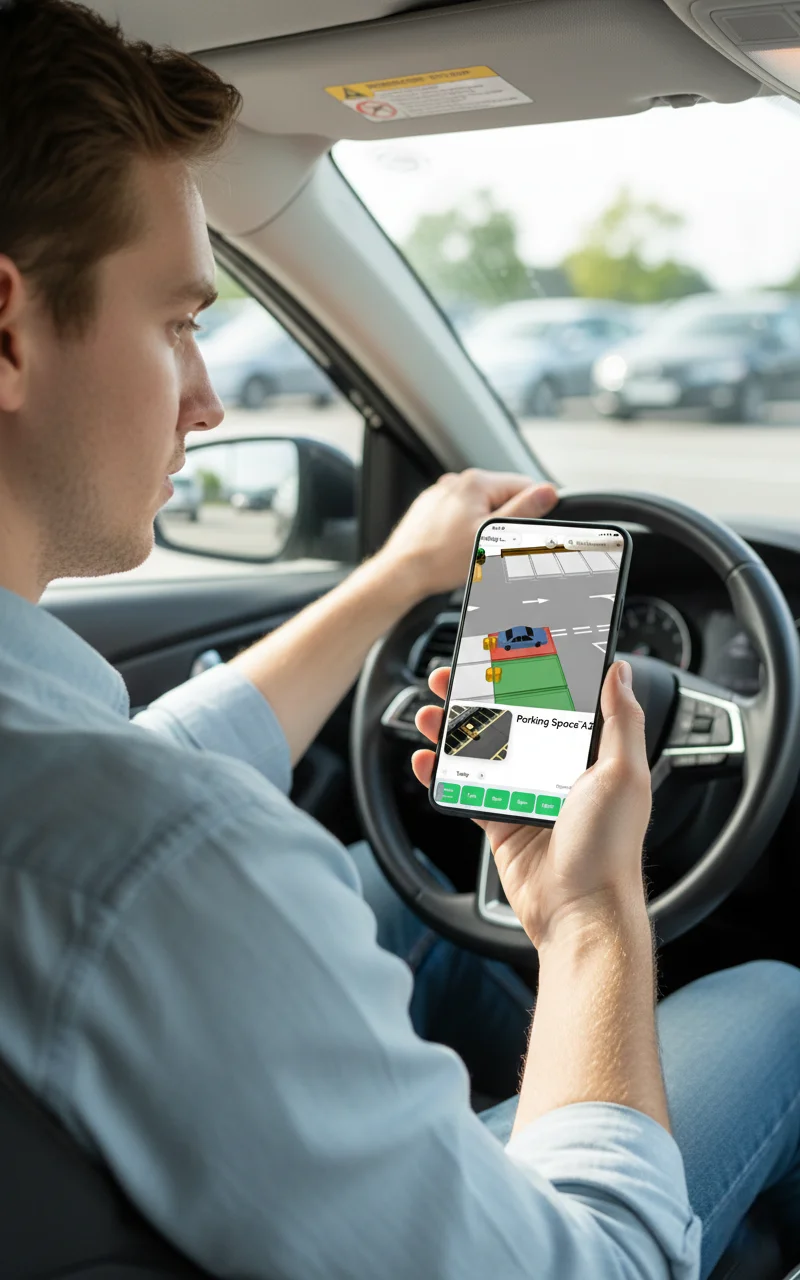
Parking Mobile View
Any Device, Anywhere

Book & check availability on any device

Whether you're at home planning tomorrow or walking into the lobby, access your parking floor plan from your phone, desktop browser, or an office kiosk.

Mobile App

Book on the go from the Offision mobile app.

Web Portal

Full management view from any web browser.

Lobby Kiosk

Quick booking at the office entrance kiosk.

Use Cases

Perfect for every workplace

No matter your office size or work model, smart parking fits right in.

Hybrid offices

Employees come in on different days. Let them book a parking spot alongside their desk to guarantee both are ready when they arrive.

Visitor hosting

When scheduling visitors, reserve a parking space for them in advance. Visitors receive directions to their designated spot for a seamless arrival.

Large campus

Manage multiple parking areas across buildings. The floor plan shows all lots so employees choose the nearest spot to their workspace.

Facility management

Admins get a bird's-eye view of parking utilisation. Assign reserved spots, set policies, and access detailed analytics to optimise space.

FAQ

Frequently asked questions

Everything you need to know about parking space booking in Offision.

When you book a desk, you can add a parking spot in the same booking flow. Simply select your desk, then choose an available parking space from the floor plan. Both reservations are linked together and managed in one place.

Yes! When you create a visitor appointment, you can allocate a parking space for your guest. The visitor receives the parking details as part of their invitation, ensuring a smooth arrival experience.

Parking spaces are displayed on the same interactive floor plan as your office areas. Each spot is colour-coded to show its current status — available, booked, or occupied. The status updates in real time as bookings are made and check-ins happen, so you always see accurate availability.

Absolutely. Admins can assign parking spots to specific people, teams, or designate them as visitor-only. Assigned spots are automatically reserved and won't appear as available to other employees.

You can book and view parking availability from any device — the Offision mobile app, any web browser, or an office kiosk. The experience is fully responsive and optimised for each screen size.

Still have questions?

Our team is happy to help you set up parking management for your workplace.

Ready to simplify your parking?

Start managing parking spaces alongside desks and visitor bookings — all from one platform.